By default RAMADDA serves up all of its HTML resources (javascript, css, images etc)
from its own server. However, for performance, RAMADDA can be configured to use
external content delivery networks (CDN) by setting this property:
ramadda.cdnok=true
For the core resources RAMADDA uses cdn.jsdeliver.net using the latest Github version tag, e.g.:
https://cdn.jsdelivr.net/gh/geodesystems/ramadda@6.60.0/...
For other resources RAMADDA uses the standard CDN for the resource, e.g.:
https://code.jquery.com/jquery-3.3.1.min.js
RAMADDA can support the
Twitter Card metadata standard. This embeds metadata in an entry page like the below. When a URL to a RAMADDA
page is pasted into a post then Twitter will harvest the metadata to provide a display in the post.
<meta name="twitter:card" content="summary_large_image">
<meta name="twitter:title" content="Salton Sea">
<meta name="twitter:description" content="This is an example...">
<meta name="twitter:image" content="https://ramadda.org/repository/metadata/view/Screenshot_2023-09-25_at_08-12-53_Salton_Sea_Map.png?element=1&entryid=0e3af72d-8be7-4f9d-933d-983fad440bba&metadata_id=b96d579f-d914-4d8a-bb04-78c5896a8243">
<meta name="twitter:creator" content="@jeffmcwh">
By default the name of the entry is used for the title.
If the entry has a Thumbnail image property attached to it then the Twitter Card will be an
image. If the entry is an Image then the image will be used. Else it will just be a text summary.
The entry's
snippet is used for the description.
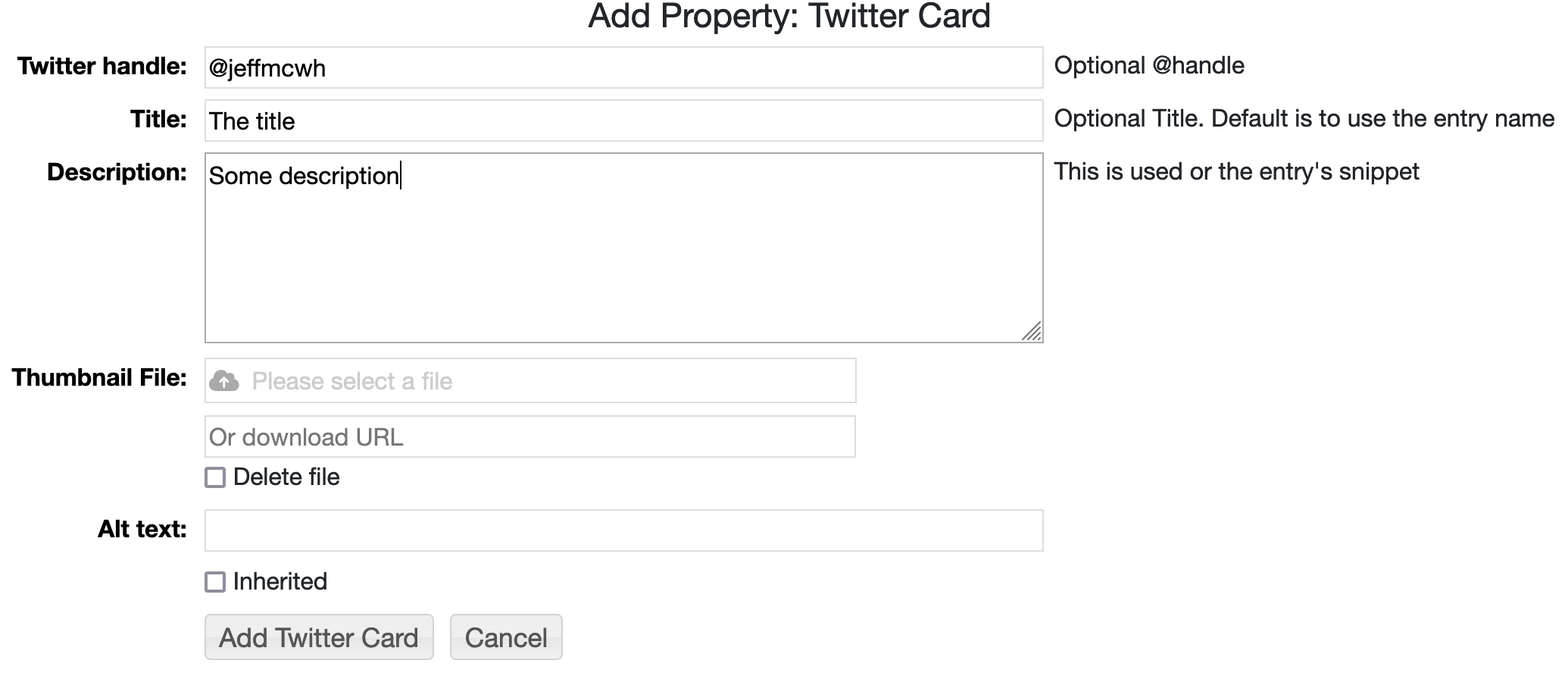
There is also a Twitter Card property type that can be used to specify the title, creator, description and image.
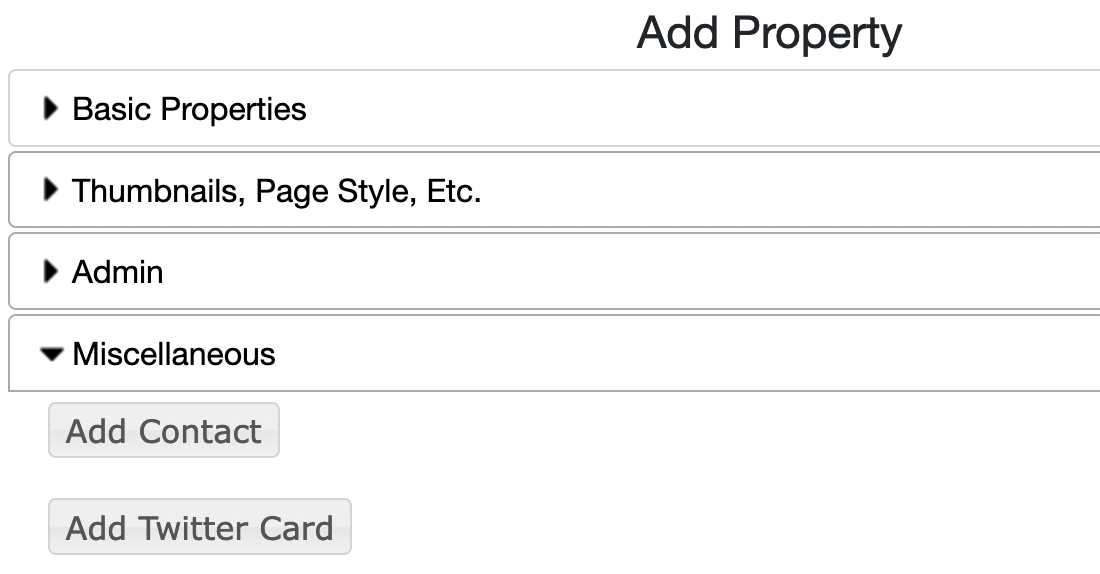
Under Add Property->Miscellaneous add the Twitter Card property:
Enter any of the values. If defined in the property these will override the defaults of the entry's name,
snippet, etc.
These properties can be inherited. For example, you can add an inherited Twitter Card property at the top-level
of your repository with just the Twitter handle specified. Then for any descendent entry you can specify a title, thumbnail, etc.
To disable this set the following property in one of the .properties files in your RAMADDA
home directory:
ramadda.showtwittercard=false
A snippet is a substring of an entry's description and is used to show a tooltip in the grid view and
also used by the
Twitter card functionality.
A snippet is specified in a number of ways-
- Using the "+note ... -note" or "+callout ... -callout" wiki tags:
+note
This is the snippet
-note

or:
+callout-info
This is the snippet
-callout
...
- By the snippet tag:
...
<snippet>
This is the snippet
</snippet>
...
- If you want to include a snippet but not have it show up in the RAMADDA page then use snippet-hide:
...
<snippet-hide>
The snippet
</snippet>
...
Embedding Github checkins
@(github user=some_user_name)
or:
@(github owner=repository_owner repository=repository)
The access to the Github API is rate limited. To increase the request rate create a personal access
token through Github and set the following RAMADDA property:
github.token=your token
Generating thumbnails of PDFs
service.gs=/path/to/bin/gs
Rendering Jupyter Notebooks
ramadda.jupyter.path=/path/to/anaconda/bin/jupyter
There are a number of other services that access external APIs and require
an API key. Here are some of them.
#show google streetview images
google.streetview.key=

#for google geocoding
google.key=

#For route generation in the editable maps using here.com routing API
#from https://www.here.com/
here.key=

#For geocoding from https://www.geocod.io/
geocodeio.key=


#For accessing purple air sensor data
#https://www2.purpleair.com/
purpleair.api.key=

#for enabling sms access
twilio.accountsid=
twilio.authtoken=
twilio.phone=

#for census data access
census.api.key=

#bureau of labor statistics
bls.api.key=

#fec
fec.api.key=


#used in the GTFS displays
ramadda.uber.token=
ramadda.lyft.clientid=
ramadda.lyft.secret=

#other...
quandl.api.key=
webhose.api.key=
enigma.api.key=
wolfram.api.key=